Showing posts with label Install. Show all posts

Login to Ubuntu Using Face Recognition in Ubuntu Maverick Meerkat 10.10

In this post we will share tips to you I login in ubuntu using face verification. Surely you have to know? for those of you who do not know. I will try to share with you. Immediately, we begin.

Go to terminal, login as root by type :

$ sudo su

Then add third party from the PPA repository and update the repository using command :

$ apt-add-repository ppa:antonio.chiurazzi/ppa
$ apt-get update

Then install the application face trainer with the command :

$ apt-get install pam-face-authentication

When finished installing, now we add a configuration file for the "gdm and su", this configuration is to run the application face trainer to get the road when the gdm login, type the command :

$ gedit /etc/pam.d/gdm

Add "auth sufficient pam_face_authentication.so enableX" top row without "" (quotation). Then edit one file again :

$ gedit /etc/pam.d/su

Add "auth sufficient pam_face_authentication.so enableX" most of the same row without a sign "" (quotation).

Configuration :

Open Applications> Other> Qt Face Trainer, then the settings and input your photo here :

Step 1
Step 2
Step 3
Finish and happy Testing...!!
Read More...!!

Install Ubuntu Tweak 0.5.10 in Ubuntu Maverick Meerkat 10.10

Have not been posting here, because now to configure is user friendly, is easy and not complicated like the Ubuntu version of 7.10 Under. This time we will discuss how to install Ubuntu Tweak 0.5.10 version of the latest release.


First open a terminal and login as root by type :

$ sudo su

And Add Thir Party Repository by Type :

$ add-apt-repository ppa:tualatrix/ppa

Update repository then install ubuntu tweak 0.5.10 by type :

$ apt-get update 
$ apt-get install ubuntu-tweak

And Finish...!! You also can install manually by download deb package ubuntu tweak here :

http://launchpad.net/ubuntu-tweak/0.5.x/0.5.10/+download/ubuntu-tweak_0.5.10-1_all.deb
Read More...!!

Restore Default GNome Panel in Ubuntu Lucid Lynx (10.04)

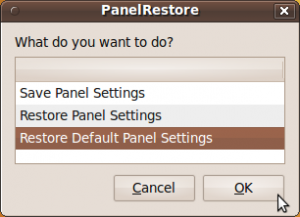
An easy way to restore gnome-panel in ubuntu Lucid Lynx is to use the restore panel program, which is a small scripting program that can help you to restore gnome panel by default. to restore this panel, you can download here

When finished downloading, extract the file, then double-click, the selection window will appear. select "Run" 


Select "restore defaut setting panel" then press OK. Gnome panel will change by default the same as when you first install. if there is still no change, restart your computer. good luck
Read More...!!

Install Libre Office In Ubuntu Maverick Meerkat (10.10)

To install Libre office in ubuntu 10.10 you must add third party repository, no go to terminal, login as root by type :


$ sudo su

Add third party repository, copy this command :

$ echo 'deb http://download.tuxfamily.org/gericom/libreoffice /' | sudo tee -a /etc/apt/sources.list

Get key server by type :

$ sudo apt-key adv --keyserver keyserver.ubuntu.com --recv-keys 890E7A26

Update repository and install libre office by type :

$ apt-get update
$ sudo apt-get install libreoffice3* lobasis3.3*

Now libre office has installed on your ubuntu 10.10
Read More...!!

Compose Music Using TuxGuitar in Ubuntu

For ubuntu users who like music or a musician TuxGuitar can help you to compose music, tuxguitar has the following features:


With TuxGuitar, you will be able to compose music using the following features

  • Tablature editor
  • Score Viewer
  • Multitrack display
  • Autoscroll while playing
  • Note duration management
  • Various effects (bend, slide, vibrato, hammer-on/pull-off)
  • Support for triplets (5,6,7,9,10,11,12)
  • Repeat open and close
  • Time signature management
  • Tempo management
  • Imports and exports gp3,gp4 and gp5 files
You can install by downloading the tuxguitar package, here.
Read More...!!

Design Digital Circuits in Ubuntu Using gEDA

gEDA is an application for designing digital electronic circuits, such as: PCB, circuit and part of the digital electronic circuit. which is usually used by people to design electro electronic circuit. 


gEDA also may assist you in designing a digital electronic circuit, or in other words assemble simulation applications in digital electronic circuits.

You can download this application package here:


To operate the application, you can visit the official website gEDA here:


http://www.gpleda.org/index.html

Read More...!!

Grub Recovery Ubuntu Maverick Meerkat (10.10)

I have been not updating this blog, after all this time, I will discuss about how to recover the damaged 10:10 grub ubuntu after installing windows. what we need is ubuntu LiveCD version 10:10, just go ahead. booting from the LiveCD and open a terminal, entered as a user with the command :

$ sudo su

Find the location of the partition ubuntu by type :

$ fdisk -l

As an example, look at the picture below:


The position of the ubuntu partition is located at /dev/sda1. make a directory to install grub :

$ mkdir /media/root

Mount ubuntu partition /dev/sda1 to /media / root by type :

$ mkdir /media/root

Once completed, then install grub with the command :

$ grub-install --root-directory=/media/root /dev/sda

If the steps above are correct, it will display the message "finished", now reboot your system then you will login in ubuntu and no grub ption to login in windows. after you login in ubuntu. open terminal and login as root bty type :

$ sudo su

Update grub by type :

$ grub update

Now, grub has been recovered. happy Testing..
Read More...!!

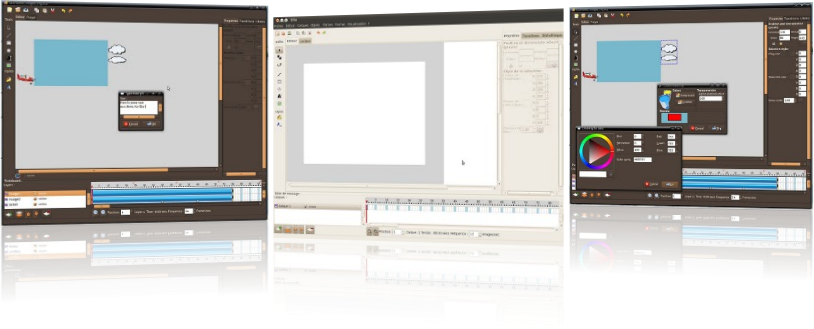
Create Simple Flash Animation Using Ella In Ubuntu 10.04 (lucid) and 10.10 (Maverick)

Ella is a simple flash animation maker applications on Linux, in addition to adobe in ubuntu can also create a simple flash animation using a ella. to install ella, you must add third party repository.


Go to terminal login as root by type :

$ sudo su
$ sudo add-apt-repository ppa:ella-animation/dev

Update and install ella by type :

$ apt-get update
$ apt-get install ella

Now Ella has installed and you can create simple flash animation in ubuntu, visit ella site if you want to install ella offline, you can download list packages here. Happy Testing...

Sources :

http://ella.tuxfamily.org/wiki/Ella:About
Read More...!!

Install LMMS In Ubuntu Lucid Lynx (10.04)

Linux Multi Media Studio or  LMMS is application audio editing for linux (ubuntu) to install this application  there are two ways, from PPA or downloaded packages. Here we will install from PPA, to install it we need add PPA sources, go to terminal, login as root by type :


$ sudo su
$ add-apt-repository ppa:gwibber-daily/ppa

After it, update your repository by type :

$ apt-get update

Now install it by type

$ apt-get install lmms

Other Step, you can download this packages here

Happy Testing...!!
Read More...!!

Install VLC player In Ubuntu Lucid Lynx (10.04)

Actually, installing VLC on ubuntu is Lucid very easy and probably, all Ubuntu users already know. but for you who do not know, I think it's nice to see and read this posting. to install VLC player in ubuntu Lucid lynx, follow these steps:


Go to terminal and login as root by type :

$ sudo su

Now add vlc repository from ppa by type :

$ add-apt-repository ppa:n-muench/vlc

Update and install it by type :

$ apt-get update
$ apt-get install vlc vlc-plugin-pulse mozilla-plugin-vlc

Now after finished you can watch the video using vlc player. Happy Testing....
Read More...!!

Install Nero Linux 4 In Ubuntu Lucid Lynx (10.04)

In previous post, we have discussed install Nero 4 in ubuntu karmic (9.10) but now we will discusse installing nero 4 in ubuntu lucid lynx (10.04) but it trial because need serial number for full version Nero Linux 4.

Nero Linux 4 is now two separate, versatile applications that bring the most reliable burning, ripping, and copying solution to advanced and beginner Linux users. For advanced Linux users the award-winning Nero Burning ROM platform continues with enhanced audio and data file


support. For beginner Linux users, the user-friendly, wizard-style interface, Nero Linux Express 4, provides easy, guided steps for burning audio and data in one go. Nero Linux 4 is the only application to offer blue laser data burning support, including support for Blu-ray Disc.

To Install Nero Linux 4 Trial, download HERE and if you want full version you can download HERE and if you click full version you can upgrade this application.

Happy Testing...!!
Read More...!!

Install Limewire In Ubuntu Lucid Lynx (10.04)

Limewire is sharring program applications, to get instant access to thousands of files are exclusive, including new songs, new movies, new games and much more. Limewire is a leader when it comes for file sharing. Known as free applicarions best peer to peer (p2p) to install free limewire version 5.5.8 in ubuntu lucid lynx (10.04)  you can add third party repository and download packages here....!! login as root and add this line :


$ sudo su
$ gedit /etc/apt/sources.list
deb http://archive.canonical.com/ lucid partner

Update sources by type :

$ apt-get update 

Then install it by double click and this packages need more packages and will downloadede automatically if you have added the third party repo's. now Limewire 5.5.8 have succesfully installed.

Happy Testing.....!!!
Read More...!!

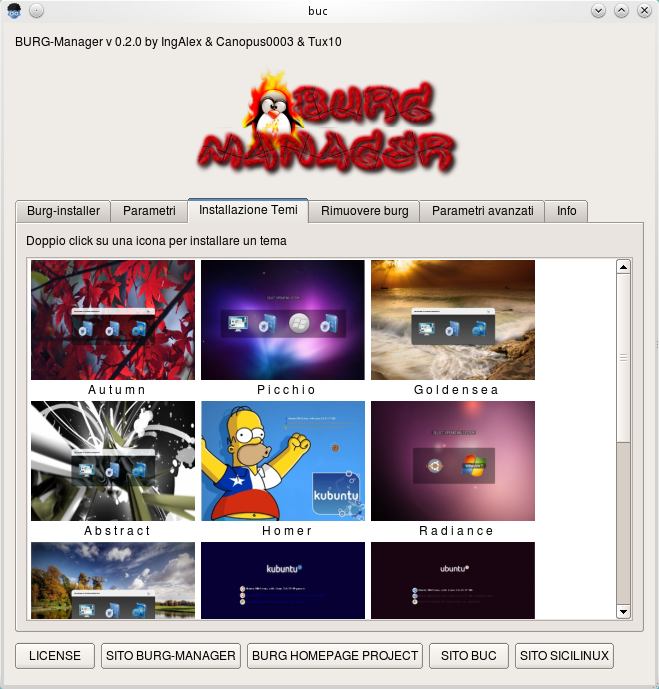
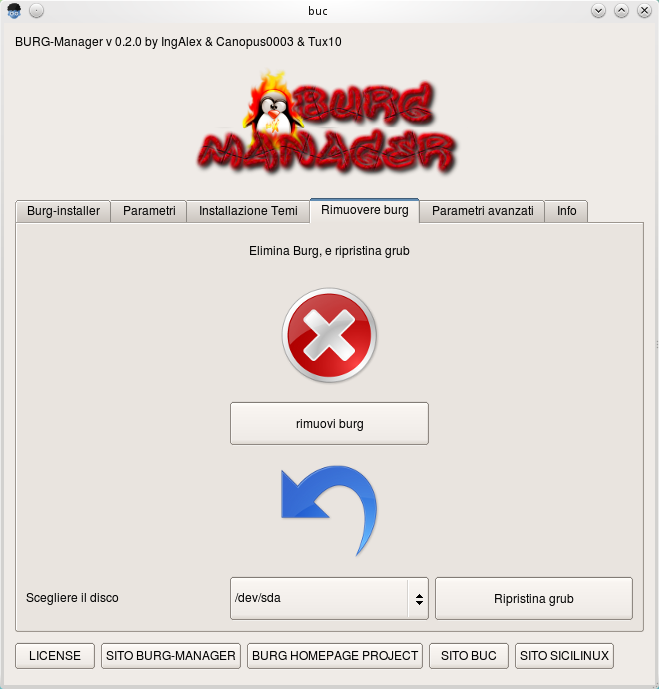
Change And Customize Grub Loader in Ubuntu Lucid Lynx (10.04) Using Burg-Manager

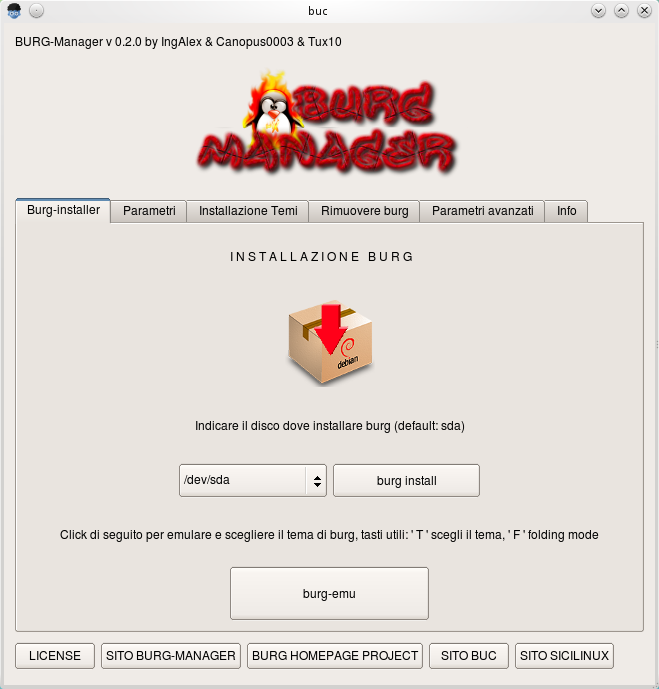
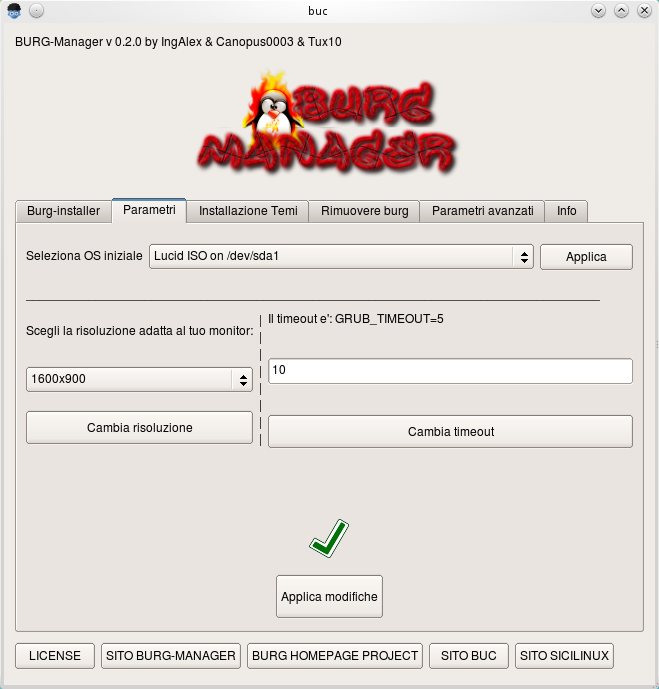
Here to replace grub loader still collor black white and text mode, to beautiful theme you can change it using burg-manger, to install download here then add third party repository, login as root by type :

$ sudo su
$ gedit /etc/apt/sources.list

Add this line then update and install :

deb http://buc.billera.eu/ubuntu/ binary/
sudo gedit /etc/apt/sources.list

$ apt-get update
$ apt-get install buc

Then install burg-manager pack package :


After installed, go to application > Systems Tools > burg manager then type your root password then select theme...

Happy Testing....

Sources :

http://buc.intilinux.com/wiki/index.php?title=Installare_BUC_tramite_repository
http://buc.billeragroup.net/?page_id=15
Enhanced by Zemanta
Read More...!!

Install Firefox 4.0 Beta 2 in Ubuntu Lucid Lynx (10.04)

Firefox 4.0 beta is avaliable for lucid from PPA, to install it we need adding repository from PPA. go to terminal, login as root by type :


$ sudo su

add and update repository :

$ add-apt-repository ppa:ubuntu-mozilla-daily/ppa
$ apt-get update

Then install :

$ apt-get install firefox-4.0

Now you can use this browser, go to Applications > Internet > Shiretoko Web Browser

Happy Testing....!!
Read More...!!

Install GConf Cleaner to Clean Up GConf key On Ubuntu Lucid Lynx (10.04)

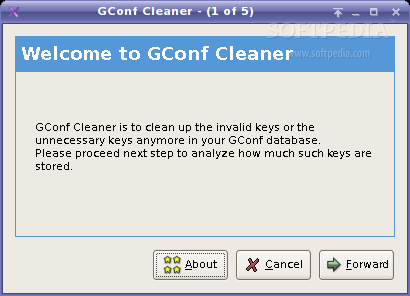
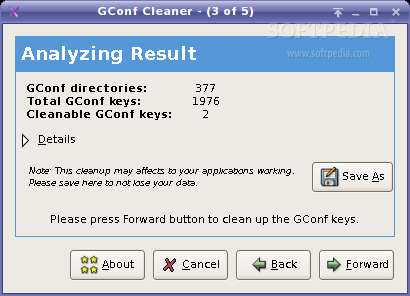
GConf Cleaner project is a cleaning tool for GConf. GConf Cleaner is to clean up the unknown/invalid gconf keys that still sitting down on your gconf database You may want to keep a clean your GConf database. this tool might help you in this case. Now we will install packages using ubuntu software, now go to Applications > Ubuntu Software Center. then type on search box : "gconf cleaner" then install it.

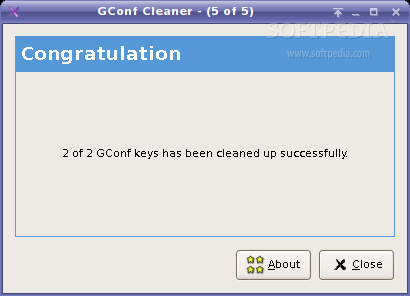
If have finished, now run gconf cleaner go to : Applications > System Toll > Gconf Cleaner :

Follow step by step this application and dont forget to back up gconf key first, and other way to install it, you can download here


Happy Testing...!!
Read More...!!

Upgrade And Install Latest Driver Intel Version 2.12 On Ubuntu Lucid Lynx (10.04)

Latest driver install now avalible to upgrade, now you can upgrade it using third party repository from PPA, to upgrade this driver, login as root then add repository third party by type :


$ sudo su
$ gedit /etc/apt/source.list

Add this line :

deb http://ppa.launchpad.net/xorg-edgers/ppa/ubuntu lucid main #xorg-edgers PPA
deb-src http://ppa.launchpad.net/xorg-edgers/ppa/ubuntu lucid main #xorg-edgers PPA

Update repository, but before that. add key server :

$ sudo apt-key adv --recv-keys --keyserver keyserver.ubuntu.com 8844C542
$ sudo apt-get update
$ sudo apt-get dist-upgrade

Now latest driver is installed, but we need latest linux kernel 2.35-6, now we should install it :

$ sudo apt-get install linux-image-2.6.35-6-generic linux-headers-2.6.35-6-generic

Restart your machine by type :

$ reboot

Now latest driver intel has installed, and you can see of the smooth acceleration.
Happy Testing...!!

Sources : http://www.howtoforge.com/how-to-install-latest-intel-driver-2.12-on-ubuntu-10.04-lucid-lynx
Read More...!!

Install Cairo Dock In Ubuntu Lucid Lynx (10.04)

Cairo-Dock is a unified interface to your desktop : it provides a dock, a taskbar, and many applets that can be placed either inside the dock or on your desktop, at your convenience ! It uses Cairo / OpenGL to render nice graphics with hardware acceleration, which makes it very smooth and low on CPU. It's highly customisable and comes with a lot of ready-to-use themes.
 

To install it, we need third party repository. login as root :

$ sudo su
$ add-apt-repository ppa:cairo-dock-team/ppa

Then update and install by type :

$ apt-get update
$ apt-get install cairo-dock

If have finished, go to Applications > System Tools > GLX-Dock, then costumize your setting.
Happy Testing....!!
Read More...!!

Install Gmail Notification Applet in Ubuntu Lucid Lynx (10.04)

Some email applications can check email without opening your browser, this application is made to allow a user to check emails every day without opening a browser. one of these applications is gmail-notifier. to install it we need download this packgages. go to terminal, then type :


$ wget -c http://repo.ahadiel.org/apt/lucid/gmail-notifier_1.7_all.deb

After finished, go to file directory have you downloaded then install it dont forget login as root by type :

$ sudo su
$ dpkg -i gmail-notifier_1.7_all.deb

Now, run this application go to > Internet > Gmail Notification Setting, then set your Gmail account. if you want this application automaticaly when startup. go to application > System > Startup Application then fill colummn by :

Name : Notifier
Command :  gmail-notifier.py
Comment : "leave it blank"

Now restart gdm by :

$ /etc/init.d/gdm restart

Happy Testing.....!!
Read More...!!

Playing Music On Ubuntu Terminal Using MOC (Music On Console)

MOC (music on console) is a console audio player for LINUX/UNIX designed to be powerful and easy to use. You just need to select a file from some directory using the menu similar to Midnight Commander, and MOC will start playing all files in this directory beginning from the chosen file. 
There is no need to create play lists like in other players. Supported file formats are: mp3, Ogg Vorbis, FLAC, Musepack, Speex, WAVE, AIFF, AU (and other less popular formats supported by libsndfile. New formats support is under development.


To install it add third party repository go to terminal, login as root by type :

$ sudo su
$ gedit /etc/apt/sources.list

Add following line 

deb http://www.lxtec.de/debarchiv unstable main
deb-src http://www.lxtec.de/debarchiv unstable main

$ apt-get update
$ apt-get install moc

If firts steps fail you can download this packgaes here....
Read More...!!

Install New Fonts In Ubuntu Lucid Lynx (10.04)

In previous post, we have been discussed about installing font in ubuntu jaunty jackalope (9.04), now i will post installing new fonts in ubuntu lucid (10.04). but in here to install its very easy. first you must download font by extension : (.otf and .ttf) you can download here or you can search by Search Engine.


after download it extract then to install it. Just click and new font ready to use, this is very easy than install new font in ubuntu jaunty (9.04).

Happy Testing..!!
Read More...!!