Showing posts with label Lucid Lynx. Show all posts

Restore Default GNome Panel in Ubuntu Lucid Lynx (10.04)

An easy way to restore gnome-panel in ubuntu Lucid Lynx is to use the restore panel program, which is a small scripting program that can help you to restore gnome panel by default. to restore this panel, you can download here

When finished downloading, extract the file, then double-click, the selection window will appear. select "Run" 
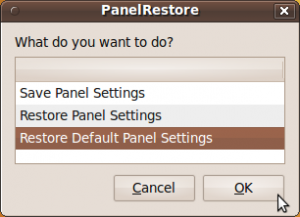

Select "restore defaut setting panel" then press OK. Gnome panel will change by default the same as when you first install. if there is still no change, restart your computer. good luck
Read More...!!

Secure Your Password in Ubuntu Lucid Lynx (10.04) by using KeePassX

KeePassX is an open-source password manager to manage passwords and securely store passwords, where do you store the passwords will be stored into the database and to open the database requires a master key. and you only need to remember one password to view the secret password that you have saved.


You can install it by downloading the package at launchpad.net  here for installation insturction
Read More...!!

Design Digital Circuits in Ubuntu Using gEDA

gEDA is an application for designing digital electronic circuits, such as: PCB, circuit and part of the digital electronic circuit. which is usually used by people to design electro electronic circuit. 


gEDA also may assist you in designing a digital electronic circuit, or in other words assemble simulation applications in digital electronic circuits.

You can download this application package here:


To operate the application, you can visit the official website gEDA here:


http://www.gpleda.org/index.html

Read More...!!

Install Zentyal In Ubuntu Server Lucid Lynx (10.04)

Zentyal has a modular design that allows you to install or remove modules depending on your needs. Zentyal modules totaling about 30 modules. In When the installation, you can install one or more profiles Zentyal. Profiles contain a set of packages that are commonly used in the task.

To Install Zentyal, you must add  third partyvrepository, open  terminal login as root by type :


$ sudo su

Edit sources.list repository by type :

$ gedit /etc/apt/sources.list

Add this line :

deb http://archive.canonical.com/ubuntu lucid partner

Now, update and install zentyal :

$ apt-get update
$ apt-get install zentyal

Now Zentyal has installed, open your browser and type on address bar :

https://<zentyal-ip-address>

You can see complete instruction on zentyal official site :

Read More...!!

Create Simple Flash Animation Using Ella In Ubuntu 10.04 (lucid) and 10.10 (Maverick)

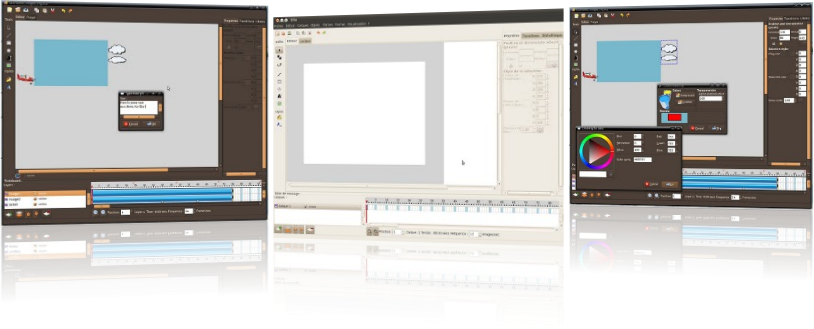
Ella is a simple flash animation maker applications on Linux, in addition to adobe in ubuntu can also create a simple flash animation using a ella. to install ella, you must add third party repository.


Go to terminal login as root by type :

$ sudo su
$ sudo add-apt-repository ppa:ella-animation/dev

Update and install ella by type :

$ apt-get update
$ apt-get install ella

Now Ella has installed and you can create simple flash animation in ubuntu, visit ella site if you want to install ella offline, you can download list packages here. Happy Testing...

Sources :

http://ella.tuxfamily.org/wiki/Ella:About
Read More...!!

Install LMMS In Ubuntu Lucid Lynx (10.04)

Linux Multi Media Studio or  LMMS is application audio editing for linux (ubuntu) to install this application  there are two ways, from PPA or downloaded packages. Here we will install from PPA, to install it we need add PPA sources, go to terminal, login as root by type :


$ sudo su
$ add-apt-repository ppa:gwibber-daily/ppa

After it, update your repository by type :

$ apt-get update

Now install it by type

$ apt-get install lmms

Other Step, you can download this packages here

Happy Testing...!!
Read More...!!

Install VLC player In Ubuntu Lucid Lynx (10.04)

Actually, installing VLC on ubuntu is Lucid very easy and probably, all Ubuntu users already know. but for you who do not know, I think it's nice to see and read this posting. to install VLC player in ubuntu Lucid lynx, follow these steps:


Go to terminal and login as root by type :

$ sudo su

Now add vlc repository from ppa by type :

$ add-apt-repository ppa:n-muench/vlc

Update and install it by type :

$ apt-get update
$ apt-get install vlc vlc-plugin-pulse mozilla-plugin-vlc

Now after finished you can watch the video using vlc player. Happy Testing....
Read More...!!

Install Webmin 1.510-2 in Ubuntu Lucid Lynx (10.04)

Webmin is a web-based interface for system administration for Unix. Using any modern web browser, you can setup user accounts, Apache, DNS, file sharing and much more. Webmin removes the need to manually edit Unix configuration files like /etc/passwd, and lets you manage a system from the console or remotely. in Ubuntu karmic you can install it by download this packages. 


Now install additional packages, download this here if you have downloaded, just double click on this packages, or you can install in by termnal.

$ sudo su
$ dpkg -i libmd5-perl_2.03-1_all.deb

Install webmin by double click or using terminal again

$ dpkg -i webmin_1.510-2_all.deb

Go to web browser, type local IP Address on address bar on port :10000 ex :

127.0.1:10000

Now webmin is ready use...

NOTE :

If any trouble installing proccess on webmin, try to fix it by type :

$ apt-get install -f

Happy Testing....!!!
Read More...!!

Install Nero Linux 4 In Ubuntu Lucid Lynx (10.04)

In previous post, we have discussed install Nero 4 in ubuntu karmic (9.10) but now we will discusse installing nero 4 in ubuntu lucid lynx (10.04) but it trial because need serial number for full version Nero Linux 4.

Nero Linux 4 is now two separate, versatile applications that bring the most reliable burning, ripping, and copying solution to advanced and beginner Linux users. For advanced Linux users the award-winning Nero Burning ROM platform continues with enhanced audio and data file


support. For beginner Linux users, the user-friendly, wizard-style interface, Nero Linux Express 4, provides easy, guided steps for burning audio and data in one go. Nero Linux 4 is the only application to offer blue laser data burning support, including support for Blu-ray Disc.

To Install Nero Linux 4 Trial, download HERE and if you want full version you can download HERE and if you click full version you can upgrade this application.

Happy Testing...!!
Read More...!!

Install Ubuntu Tweak 0.5.5 In Ubuntu Lucid Lynx (10.04)

Ubuntu tweak 0.5.5 has been released now you can configure ubuntu easily using this application, here for install this application. just download it then install it :


Download click on Pictures


TITLE-IMAGE


After downloaded it you can install it by double click.

Happy Testing....!!
Read More...!!

Perfect Desktop Ubuntu Lucid Lynx (10.04) Using Elementary

For you who like look of ubuntu desktop and for variation of the theme and icon. you can try elementary theme. This actually is a common theme, but if you add other features like a dock and globus preview can be perfect desktop and you will be like it. now you can install elementary theme, include elementary-theme, elementary-icon dan elementary-wallpaper.

To install elementary themes you must add third party repository, login as root by type :

$ sudo su
$ gedit /etc/apt/source.list

Add this line :

deb-src http://ppa.launchpad.net/elementaryart/ppa/ubuntu lucid main

Update repository by type :

$ apt-get update

To install elementary theme, using synaptic packages manager. go to System > Administration > Synaptic Package Manager and quick search (elementary-theme, elementary-icon dan elementary-wallpaper) then check list it then click "apply to install" wait until install finished.


Now you can use this them, by "Right Click on the Desktop > Change Desktop Background and Choose Appreance click elementary and customize it. then close. 


Now elementary has installed on your desktop. Happy Testing.....
Read More...!!

Install Limewire In Ubuntu Lucid Lynx (10.04)

Limewire is sharring program applications, to get instant access to thousands of files are exclusive, including new songs, new movies, new games and much more. Limewire is a leader when it comes for file sharing. Known as free applicarions best peer to peer (p2p) to install free limewire version 5.5.8 in ubuntu lucid lynx (10.04)  you can add third party repository and download packages here....!! login as root and add this line :


$ sudo su
$ gedit /etc/apt/sources.list
deb http://archive.canonical.com/ lucid partner

Update sources by type :

$ apt-get update 

Then install it by double click and this packages need more packages and will downloadede automatically if you have added the third party repo's. now Limewire 5.5.8 have succesfully installed.

Happy Testing.....!!!
Read More...!!

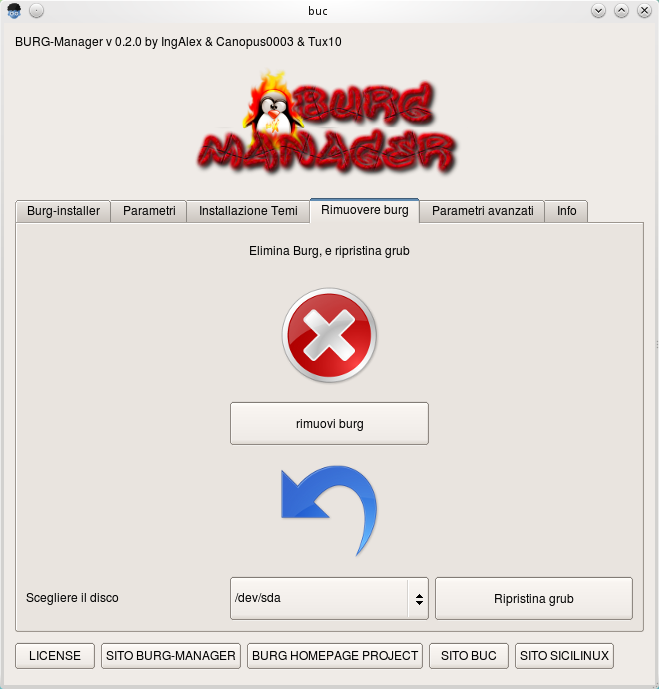
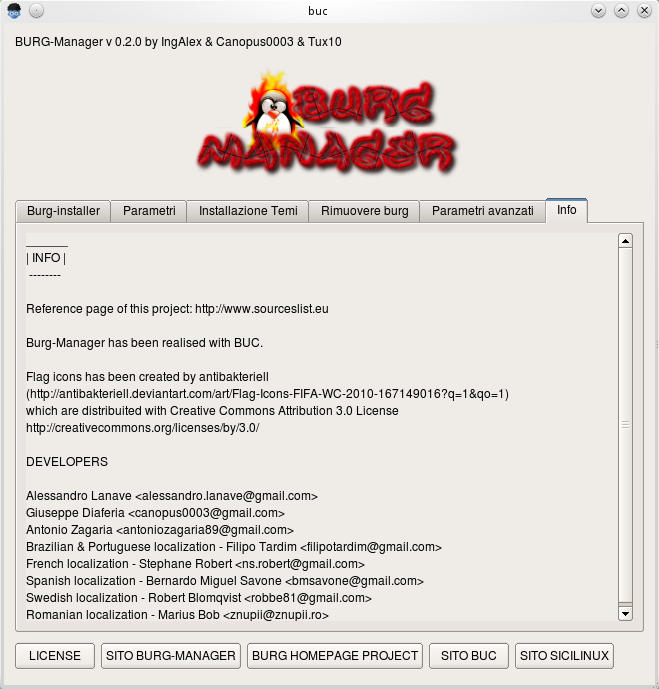
Change And Customize Grub Loader in Ubuntu Lucid Lynx (10.04) Using Burg-Manager

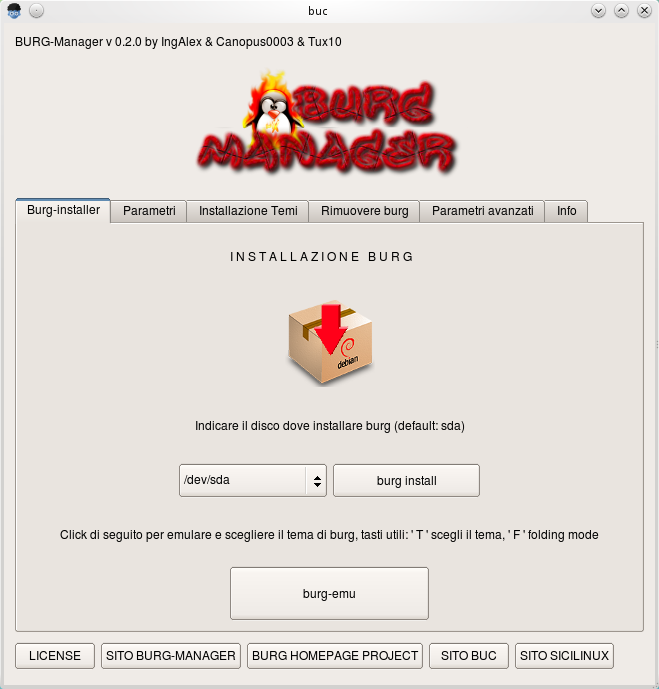
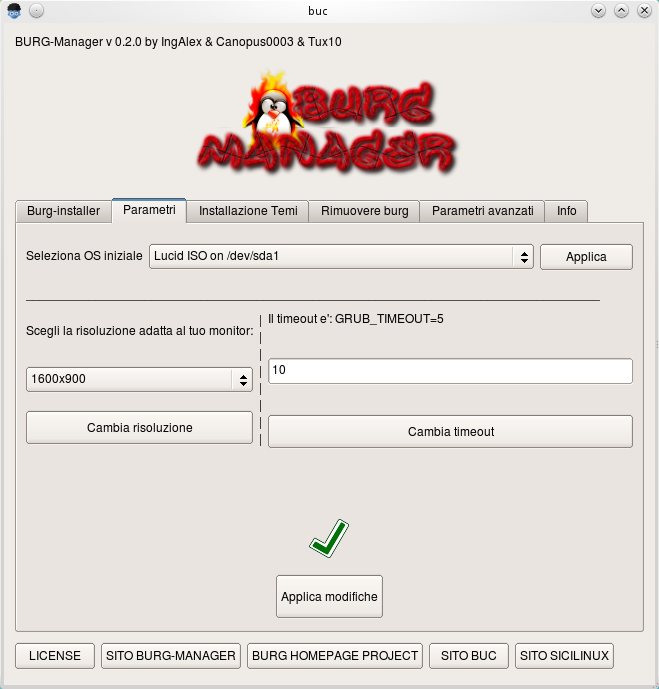
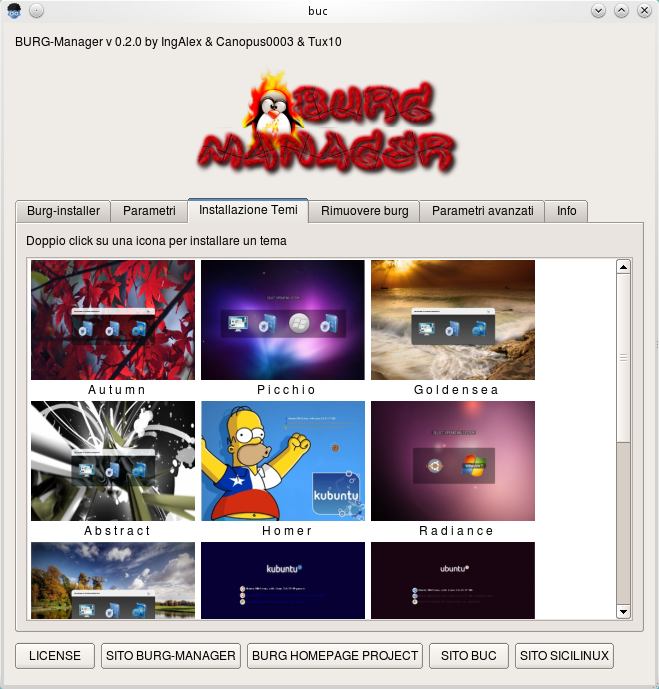
Here to replace grub loader still collor black white and text mode, to beautiful theme you can change it using burg-manger, to install download here then add third party repository, login as root by type :

$ sudo su
$ gedit /etc/apt/sources.list

Add this line then update and install :

deb http://buc.billera.eu/ubuntu/ binary/
sudo gedit /etc/apt/sources.list

$ apt-get update
$ apt-get install buc

Then install burg-manager pack package :


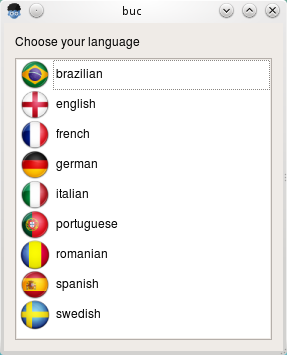
After installed, go to application > Systems Tools > burg manager then type your root password then select theme...

Happy Testing....

Sources :

http://buc.intilinux.com/wiki/index.php?title=Installare_BUC_tramite_repository
http://buc.billeragroup.net/?page_id=15
Enhanced by Zemanta
Read More...!!

Install Firefox 4.0 Beta 2 in Ubuntu Lucid Lynx (10.04)

Firefox 4.0 beta is avaliable for lucid from PPA, to install it we need adding repository from PPA. go to terminal, login as root by type :


$ sudo su

add and update repository :

$ add-apt-repository ppa:ubuntu-mozilla-daily/ppa
$ apt-get update

Then install :

$ apt-get install firefox-4.0

Now you can use this browser, go to Applications > Internet > Shiretoko Web Browser

Happy Testing....!!
Read More...!!

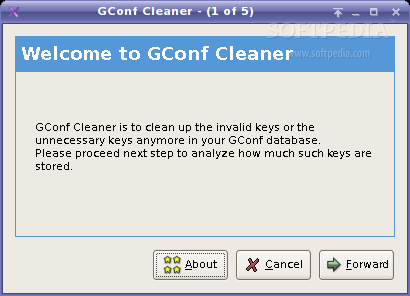
Install GConf Cleaner to Clean Up GConf key On Ubuntu Lucid Lynx (10.04)

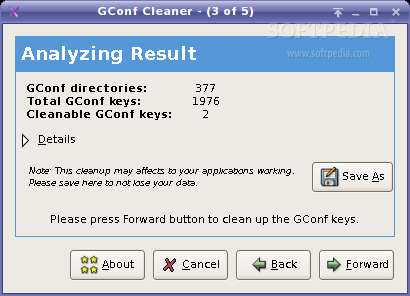
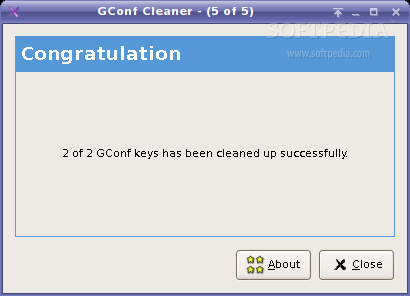
GConf Cleaner project is a cleaning tool for GConf. GConf Cleaner is to clean up the unknown/invalid gconf keys that still sitting down on your gconf database You may want to keep a clean your GConf database. this tool might help you in this case. Now we will install packages using ubuntu software, now go to Applications > Ubuntu Software Center. then type on search box : "gconf cleaner" then install it.

If have finished, now run gconf cleaner go to : Applications > System Toll > Gconf Cleaner :

Follow step by step this application and dont forget to back up gconf key first, and other way to install it, you can download here


Happy Testing...!!
Read More...!!

Upgrade And Install Latest Driver Intel Version 2.12 On Ubuntu Lucid Lynx (10.04)

Latest driver install now avalible to upgrade, now you can upgrade it using third party repository from PPA, to upgrade this driver, login as root then add repository third party by type :


$ sudo su
$ gedit /etc/apt/source.list

Add this line :

deb http://ppa.launchpad.net/xorg-edgers/ppa/ubuntu lucid main #xorg-edgers PPA
deb-src http://ppa.launchpad.net/xorg-edgers/ppa/ubuntu lucid main #xorg-edgers PPA

Update repository, but before that. add key server :

$ sudo apt-key adv --recv-keys --keyserver keyserver.ubuntu.com 8844C542
$ sudo apt-get update
$ sudo apt-get dist-upgrade

Now latest driver is installed, but we need latest linux kernel 2.35-6, now we should install it :

$ sudo apt-get install linux-image-2.6.35-6-generic linux-headers-2.6.35-6-generic

Restart your machine by type :

$ reboot

Now latest driver intel has installed, and you can see of the smooth acceleration.
Happy Testing...!!

Sources : http://www.howtoforge.com/how-to-install-latest-intel-driver-2.12-on-ubuntu-10.04-lucid-lynx
Read More...!!

Install F-Spot 0.7.1 In Ubuntu Lucid Lynx (10.04)

F-spot is photo application manager for Gnome desktop full feature personal photo management. you can manage personal photo use this application very simple and easy. to install it follow these steps :


$ sudo su
$ add-apt-repository ppa:f-spot/f-spot-ppa

Then update and install

$ apt-get update
$ apt-get install f-spot

And finish, now you can manage personal photo with full features of this application. if you want to install offline. just download here : http://f-spot.org/Main_Page

Happy Testing....!!!
Read More...!!

Quick Look File Using Globus Preview In Ubuntu Lucid Lynx (10.04)

To view some files or folders on your hard disk much hassle of having to open the folder one by one. here for qiuck look file to search and open file qickly using globus preview. to install it, add reposirtory. go to terminal and login as root :


$ sudo su
$ sudo add-apt-repository ppa:gloobus-dev/gloobus-preview

Update and install

$ apt-get update
$ apt-get install gloobus-preview

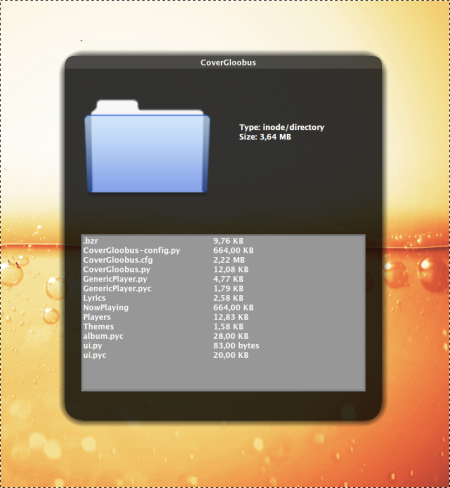
Now you can quick look file into folder just press "spacebar" on file manager, then you can view the contents of  folder.

Happy Testing...!!
Read More...!!

Install Cairo Dock In Ubuntu Lucid Lynx (10.04)

Cairo-Dock is a unified interface to your desktop : it provides a dock, a taskbar, and many applets that can be placed either inside the dock or on your desktop, at your convenience ! It uses Cairo / OpenGL to render nice graphics with hardware acceleration, which makes it very smooth and low on CPU. It's highly customisable and comes with a lot of ready-to-use themes.
 

To install it, we need third party repository. login as root :

$ sudo su
$ add-apt-repository ppa:cairo-dock-team/ppa

Then update and install by type :

$ apt-get update
$ apt-get install cairo-dock

If have finished, go to Applications > System Tools > GLX-Dock, then costumize your setting.
Happy Testing....!!
Read More...!!

Install Gmail Notification Applet in Ubuntu Lucid Lynx (10.04)

Some email applications can check email without opening your browser, this application is made to allow a user to check emails every day without opening a browser. one of these applications is gmail-notifier. to install it we need download this packgages. go to terminal, then type :


$ wget -c http://repo.ahadiel.org/apt/lucid/gmail-notifier_1.7_all.deb

After finished, go to file directory have you downloaded then install it dont forget login as root by type :

$ sudo su
$ dpkg -i gmail-notifier_1.7_all.deb

Now, run this application go to > Internet > Gmail Notification Setting, then set your Gmail account. if you want this application automaticaly when startup. go to application > System > Startup Application then fill colummn by :

Name : Notifier
Command :  gmail-notifier.py
Comment : "leave it blank"

Now restart gdm by :

$ /etc/init.d/gdm restart

Happy Testing.....!!
Read More...!!